Wednesday, August 1, 2018

PSA: Automatic cross-posting of tweets to Facebook no longer works as of today

You can no longer automatically cross-post your tweets to Facebook. Twitter announced today that functionality is now coming to an end, and users will instead have to copy a tweet’s URL if they want to share a tweet to Facebook going forward. In a statement, the company attributed the change to a recent Facebook update.

Specifically, the issue has to do with Facebook’s lockdown of its API platform — an overhaul that’s been underway following the Cambridge Analytica scandal, where as many as 87 million Facebook users had their data improperly harvested and shared.

Since then, Facebook has been plugging holes in its API platform to prevent future data misuse. One of those changes involves Facebook Login, announced back in April. The company said that apps that had been granted permission to publish posts to Facebook as the logged-in user would no longer have that permission. New apps wouldn’t be able use this feature the day the change was announced. And in the case of older apps, the permission would be revoked on August 1, 2018 — that’s today.

Facebook also said developers who were previously using the API could instead turn to Facebook’s Share dialogs for webiOS and Android. But Twitter’s statement didn’t mention there would be an alternative means of sharing built back into Twitter, beyond using its existing “Copy link to Tweet” feature. This is a manual way of sharing tweets, of course, and not a replacement for what is being lost.

The option to set up Facebook sharing hasn’t completely disappeared from Twitter’s app as of yet.

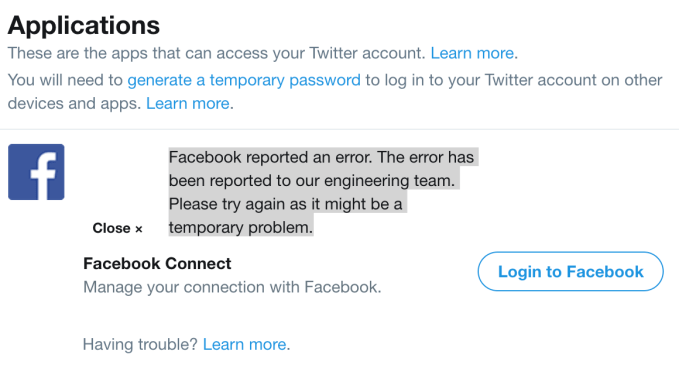
Facebook still appears within the “Apps” section via the web, with the button “Login to Facebook” seemingly waiting to be clicked. However, this option will no longer work as of today. Instead, it returns the error: “Facebook reported an error. The error has been reported to our engineering team. Please try again as it might be a temporary problem.”

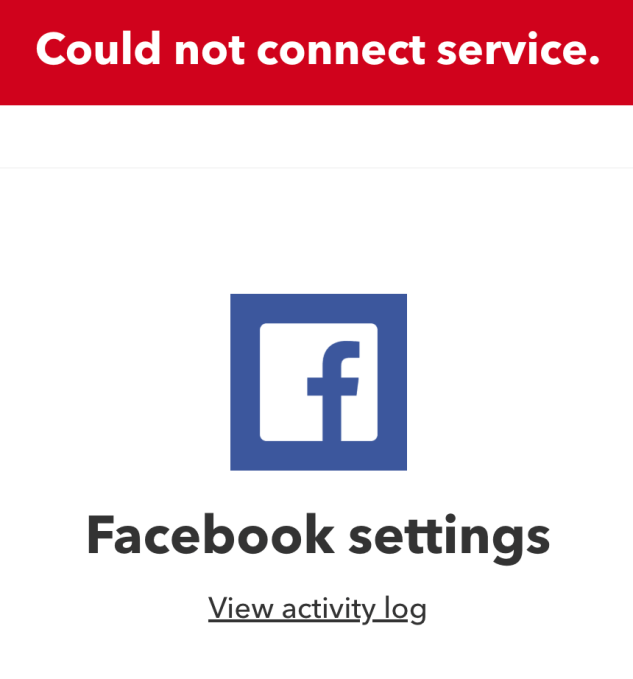
It doesn’t seem like Twitter users looking for other workarounds will have much success either, given this situation. Other apps, like IFTTT, for example, are throwing errors as of today, too.


Source: TechCrunch http://j.mp/2vqXngj

By Outselling the iPhone, Huawei Shows It Doesn’t Need the U.S. to Succeed

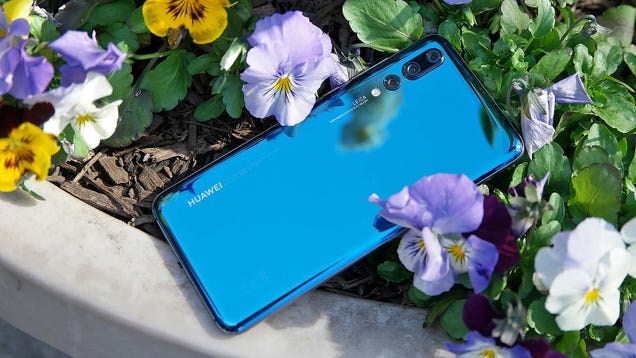
Earlier this year, fueled in part by the U.S. government’s concerns over security and potential espionage, AT&T, Verizon, and Best Buy all backed out of deals to carry Huawei phones in their retail stores. This forced Huawei to shift its attention away from the U.S. and focus more on other markets such as Europe and…

Read more...


Source: Gizmodo http://j.mp/2OAlbXS

JBL’s $250 Google Assistant smart display is now available for pre-order

It’s been a week since Lenovo’s Google Assistant-powered smart display went on sale and slowly but surely, its competitors are launching their versions, too. Today, JBL announced that its $249.95 JBL Link View is now available for pre-order, with an expected ship date of September 3, 2018.

JBL went for a slightly different design than Lenovo (and the upcoming LG WK9), but in terms of functionality, these devices are pretty much the same. The Link View features an 8-inch HD screen and unlike Lenovo’s Smart Display, JBL is not making a larger 10-inch version. It’s got two 10W speakers and the usual support for Bluetooth, as well as Google’s Chromecast protocol.

JBL says the unit is splash proof (IPX4), so you can safely use to watch YouTube recipe videos in your kitchen. It also offers a 5MP front-facing camera for your video chats and a privacy switch that lets you shut off the camera and microphone.

JBL, Lenovo and LG all announced their Google Assistant smart displays at CES earlier this. Lenovo was the first to actually ship a product and both the hardware as well as Google’s software received a positive reception. There’s no word on when LG’s WK9 will hit the market.


Source: TechCrunch http://j.mp/2n2Xuet

Samsung’s Latest Tablet is Trying to Out Pro the iPad

Tablets are in a tough spot nowadays. Do you go cheap and just push out something that’s essentially a big phone, or do you up the price and go for extra functionality like stylus and keyboard support? Over the past few years, Samsung has tried to make the most of Android by making tablets that were closer to…

Read more...


Source: Gizmodo http://j.mp/2LU9oVT

Samsung thinks the Galaxy Tab S4 can replace your laptop

The convertible tablet space is a tricky one. After several years, no one’s managed to precisely nail it — no device will ever manage to straddle the line as the perfect laptop and tablet. But the category is a rare bright spot in an otherwise stagnant tablet market, and Samsung’s never been one to stand down from a challenge.

If nothing else, the Tab S4 represents Samsung’s most aggressive approach to the category yet. The company appears fairly confident that it will fulfill the need for both laptop and tablet for a certain segment of the population, at least — which would go a ways toward justifying that $650 starting price.

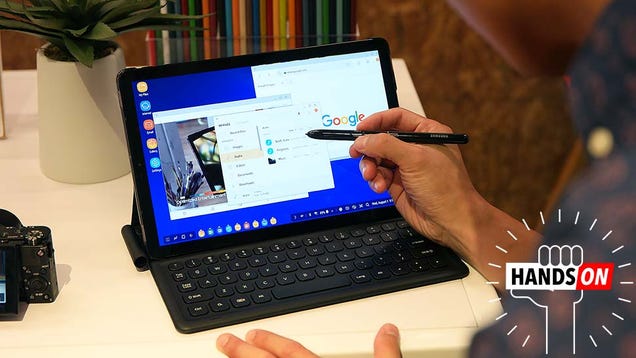
To accomplish this, the company is reinventing DeX. Formerly used to refer to the smartphone docking station, it’s now the name of the company’s desktop mode for Android. DeX is the key to the Tab’s convertibility. The S4 defaults to standard Android mode, switching over to DeX as soon as it docks in the keyboard case.

It’s an interesting choice. Rather than go with Windows 10, Chrome or any other operating systems designed specifically for the desktop environment, Samsung’s doubling down on the environment it introduced for the original DeX docks.

Why? I suspect it’s a control thing, at least in part. Windows 10 would have required surrendering more functionality to Microsoft (not the mention the consistency complications of the Android-centric Galaxy brand). With Android, Samsung can effectively run roughshod over the operating system as it sees fit.  That means, no doubt, the eventually addition of  things like the S-Pen’s Air Command interface and other proprietary Samsung differentiators.
I took a Chromebook as my sole computer on a recent trip to China. As such, I feel pretty confident in speaking to the limitations of attempting to rely on apps that aren’t optimized for desktop mode. It’s not impossible, but it’s certainly clumsy. When you launch them, they open in a small window.

You can make them full screen, but have to restart them in the process. I suspect the discrepancies won’t be as pronounced on the 10.5-inch as they would be on, say the Pixelbook, but there are still some kinks to work out. That includes the fact the Play Store doesn’t specialize in desktop apps, which cuts out a certain number of speciality programs. In my case, I had the damnedest time trying to find a fill in for Audacity, so I could edit podcasts on the 13 hour flight (cue the emails from 800 developers telling me that they have the solution). 

The good news on this front is that Samsung has worked with some key developers to offer up programs in the “App for Samsung DeX” section of the app menu. The biggest here is Microsoft, which worked with Samsung to create a DeX version of Office. There are some other key apps here as well, like Tripadvisor. For things like games, on the other hand, you’ll mostly be stuck running the mobile version.
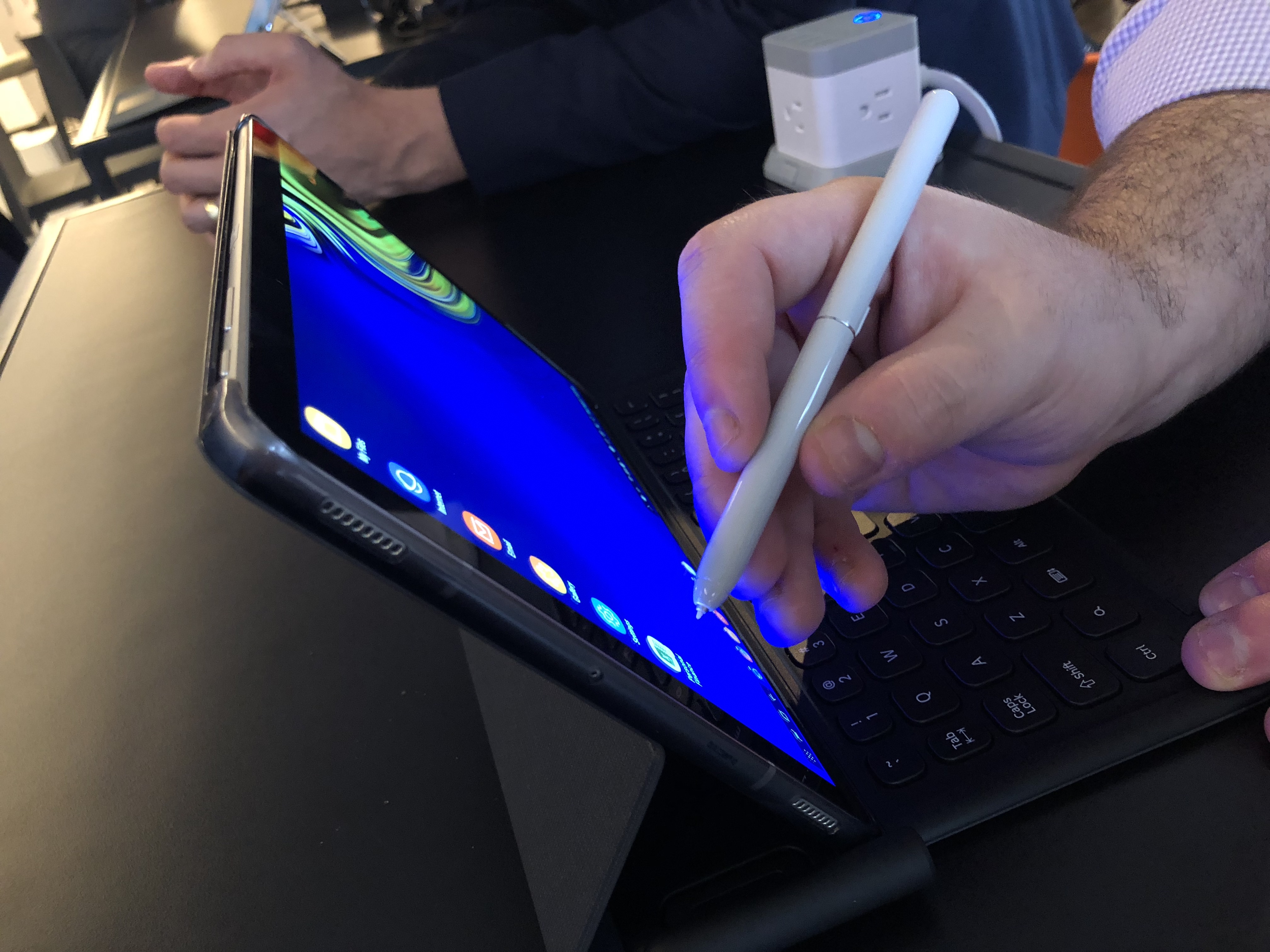
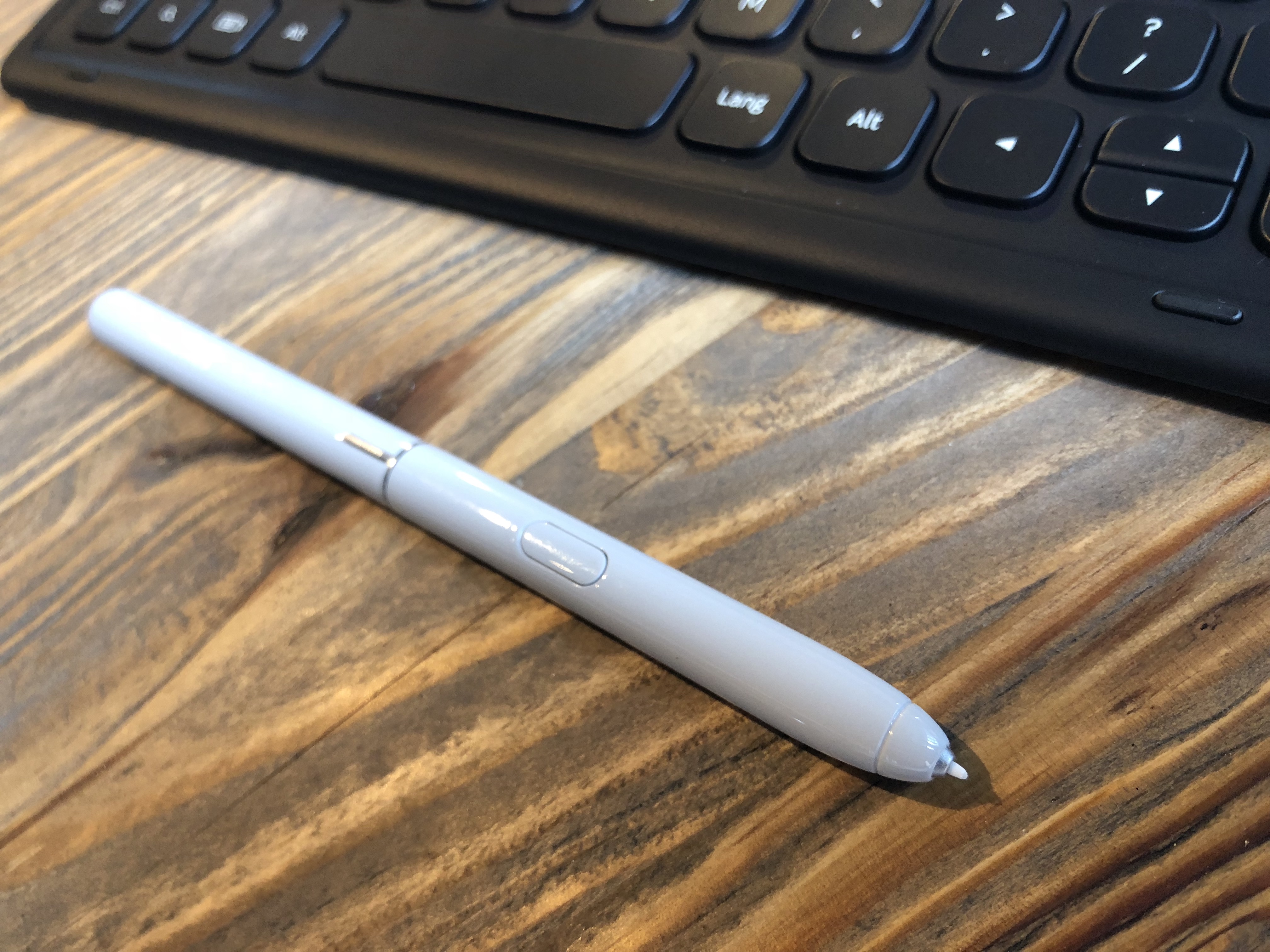
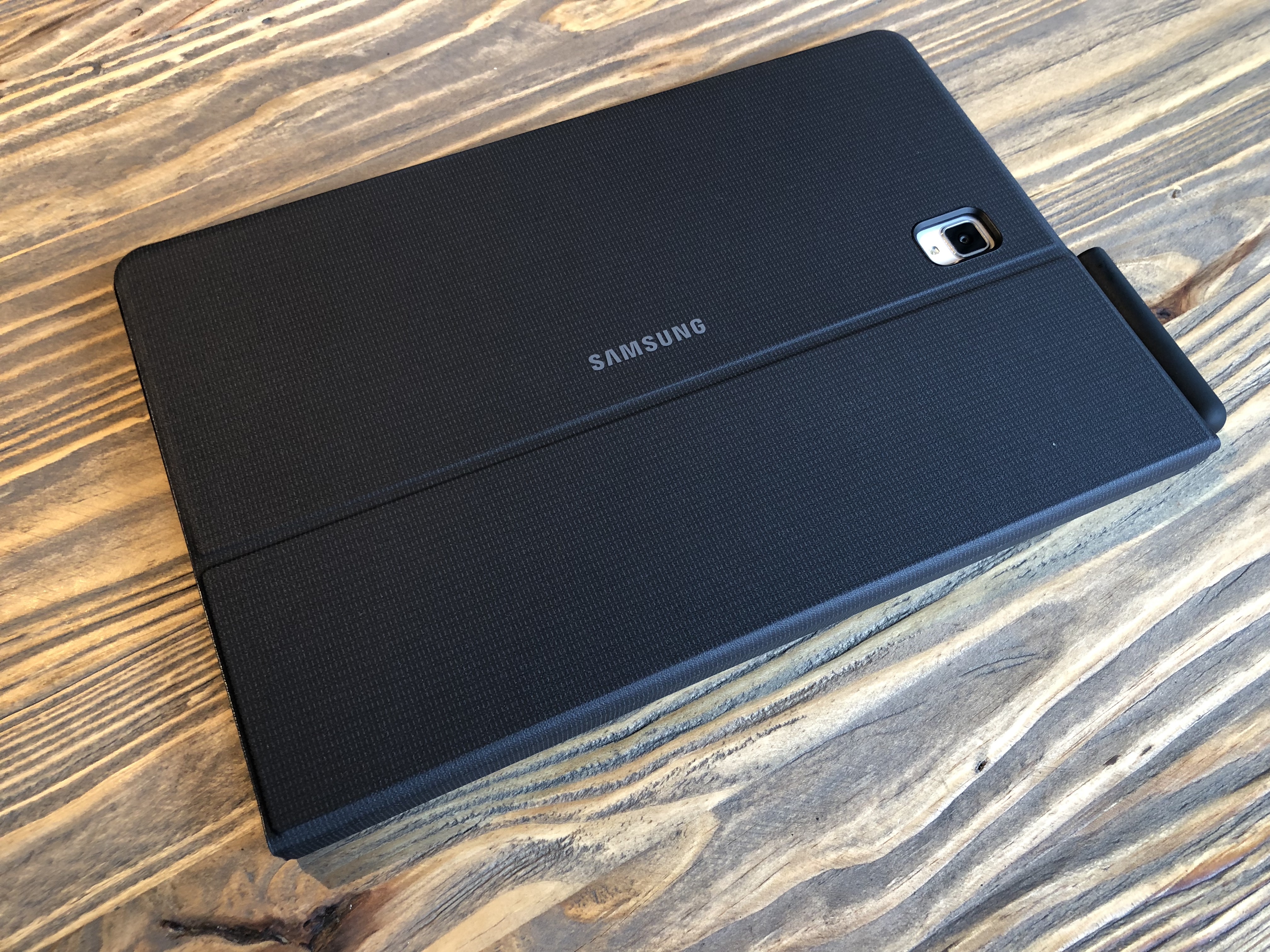
The Tab S4 represents an interesting sort of cross section of a number of different Samsung offerings. The Galaxy Tab line meets DeX, with a side of S-Pen, which is large and optimized for the bigger form factor. There’s a slot for the stylus on the side of the keyboard case — a nice touch that has been absent in a number of these kinds of devices, including ones from Samsung itself. I can never figure out what to do with that damn pen when I’m not using it.

Live Messages — the animated Gif drawing app introduced on mobile — is here. Air Commands are present in Android mode as well. That they don’t carry over into DeX mode feels like a strange sort of oversight on Samsung’s part, but the company tells me it’s something they’re consider, so there’s that.

Also interesting is the absence of a trackpad on Samsung’s keyboard case. Touch and pen functionality are the primary methods for cursor manipulation here. I suspect that will ultimately serve most users just fine, but you’ll have to re-program your brain a bit in the process. When your hands assume typing position, habit draws them down to the trackpad, like some peripheral version of a phantom limb.

The keyboard is pretty okay, so far as keyboard cases go. I honestly prefer it to the kind of soft version you get with a Surface. There’s more tactile feedback here, and the keys are raised. They’re soft but springy. I’m in no rush to replace my full-time laptop with the device, but I write words for a living. For those whose typing is largely limited to Facebook updates and email, it’s probably just fine.

It’s also worth mentioning that the case is robust enough in keyboard mode to actually sit in your lap without collapsing. Not every convertible can say that. Surface Go, I’m looking at you.

The battery is a  bright spot here. At 7,300mAh, Samsung says it should get you around 16 hours of video playback. That seems like a fairly optimistic estimate compared to the 10 hours Apple quotes on the 10-inch iPad Prom but at the very least, it should get you through just about any flight.
The rest of the specs are pretty solid as well, including an octa-core Snapdragon 835, 4GB of RAM and either 64- or 256GB of storage, plus expandable memory via microSD. You can also get the Tab with built-in LTE (for an added cost/monthly fee, of course). That should serve you pretty well for most of what you need to do tablet or otherwise.

The port situation, on the other hand, is another pain point for replacing your desktop out right. There’s the Pogo dock for the keyboard and a single USB-C — so good luck with those accessories. Of course, you can also just get Bluetooth mouse — Samsung makes one of those specially for the Galaxy Tab, naturally.

The WiFi version of the Tab S4 arrives August 10th, along with the Verizon LTE version. Other carriers (Sprint and US Cellular) will get their models at some point later in Q3. Pricing will likely vary, based on carrier.

The Galaxy Tab S4 isn’t quite the end-all, be-all laptop replacement, Samsung was no doubt hoping for, but it does representing an interesting new paradigm for the company in the wild world of convertible tablets.


Source: TechCrunch http://j.mp/2OA911h

Back-to-college tech for minimalists and the over-prepared

Editor’s note: This post was done in partnership with Wirecutter. When readers choose to buy Wirecutter’s independently chosen editorial picks, Wirecutter and TechCrunch may earn affiliate commissions.

Heading back to college with the best gear is the only push that some students need to get things moving in the right direction. While students are expected to take lecture notes during class, power through study sessions and, if necessary, do assignments on the go, there are tech essentials better suited than others for getting these jobs done.
Whether it’s time for a new laptop and protective gear or a few new accessories, we’ve got the recommendations covered.

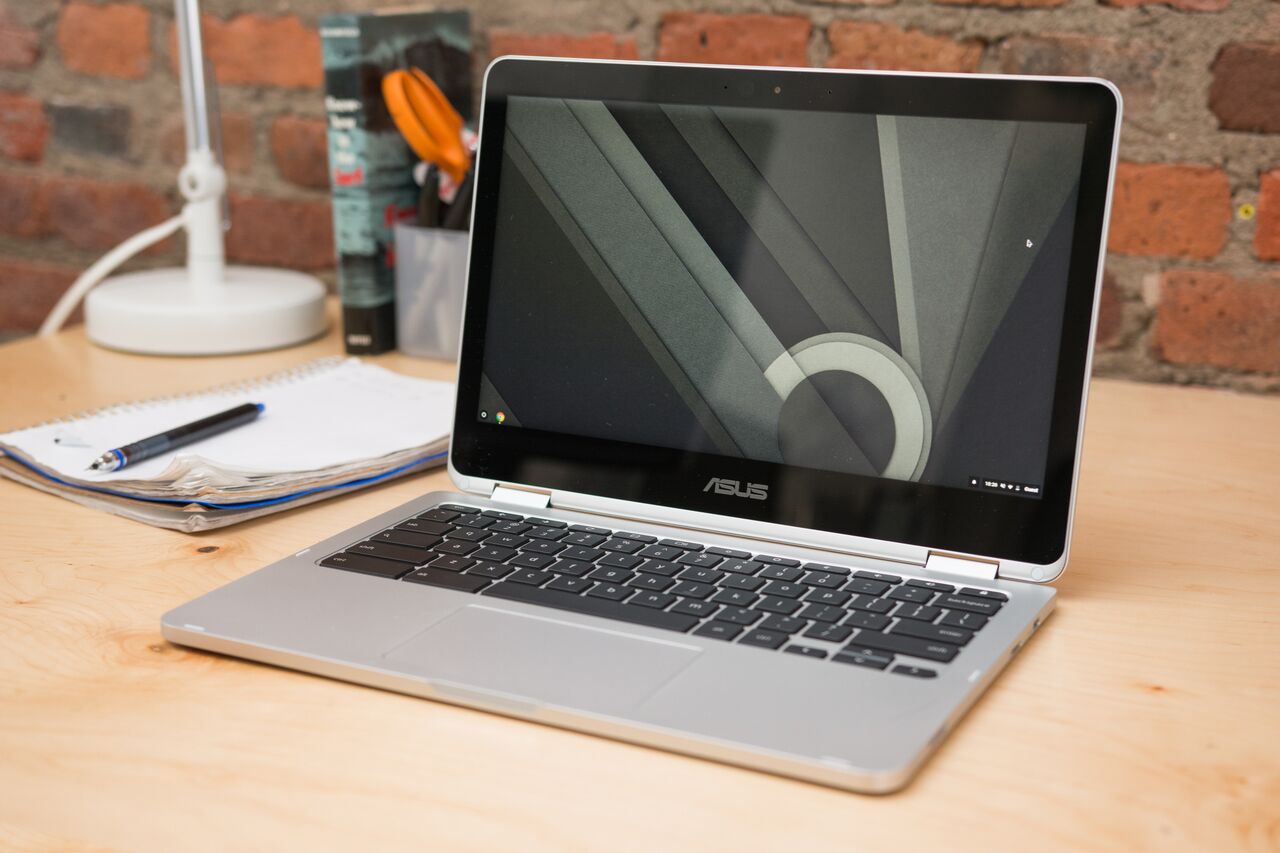
Chromebook: Chromebook Flip C302CA

A Chromebook is a great choice for a simple notebook with a cloud-based storage system, and we think the Chromebook Flip C302CA is the best option. You’ll work predominantly in a browser and across apps — and whichever way is most comfortable, as the Chromebook Flip C302CA’s 360-degree hinge allows it to be used as a laptop or tablet.

It only comes with a few ports (a headphone jack, two USB-C ports and a microSD slot) but you can use an adapter to plug in additional peripherals. We like its backlit keyboard, touchscreen, Android app support and that its build feels more like a pricier Ultrabook. If portability is at the top of your list, it’s lightweight and compact, which makes carrying it around campus and doing work on the go more manageable.

Laptop for creative work: Dell XPS 15 & Apple MacBook Pro with Touch Bar (15-inch, 2017)

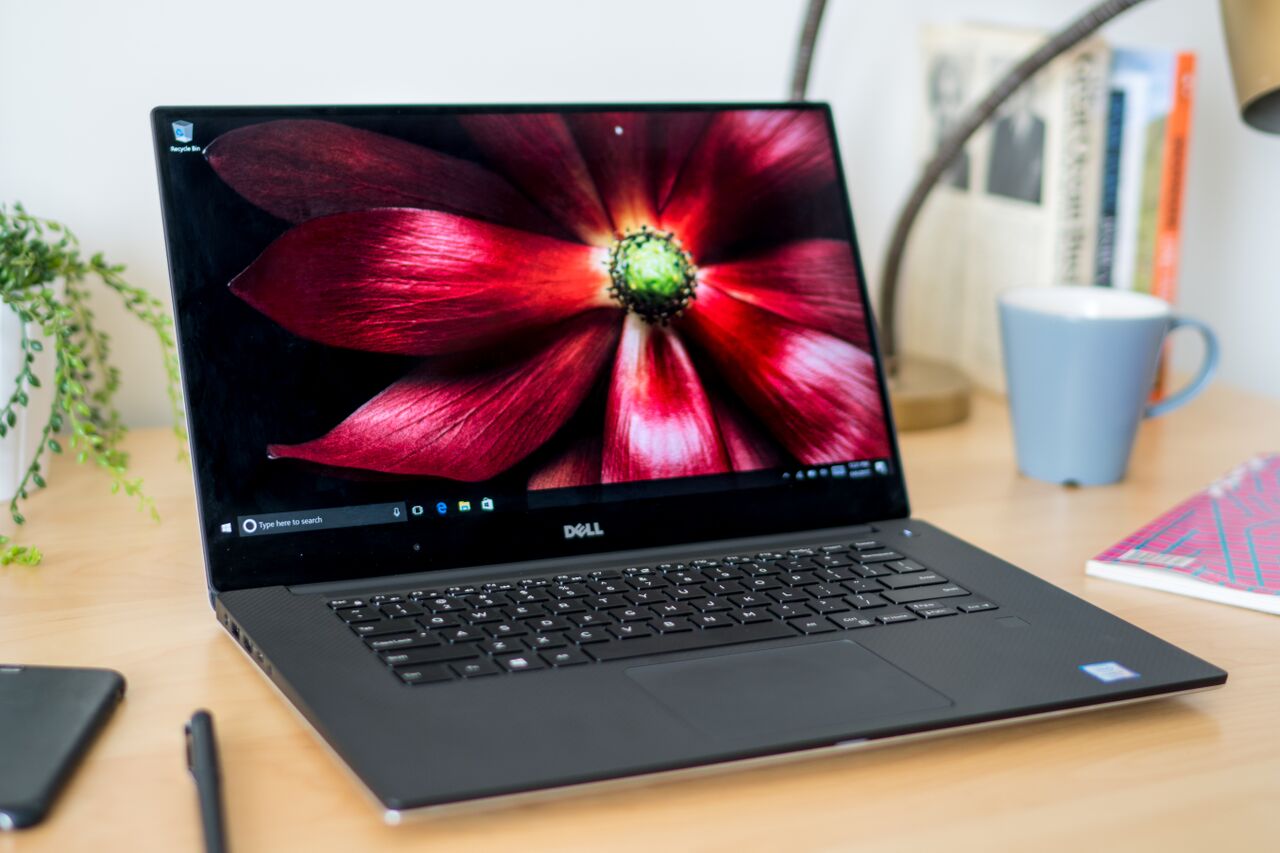
For film, photography and design students who can’t always use on-campus labs and want a capable machine of their own, we recommend the Dell XPS 15. This Windows laptop has a powerful graphics card and processor that contribute to quick upload and rendering speeds. The Apple MacBook Pro with Touch Bar (15-inch, 2017) is an alternative for students who prefer macOS.

It’s also equipped with a powerful processor, and both machines have excellent displays and responsive trackpads. Either laptop can handle heavy editing projects and demanding creative work that would otherwise slow down a basic laptop.

Anti-malware software: Malwarebytes Premium

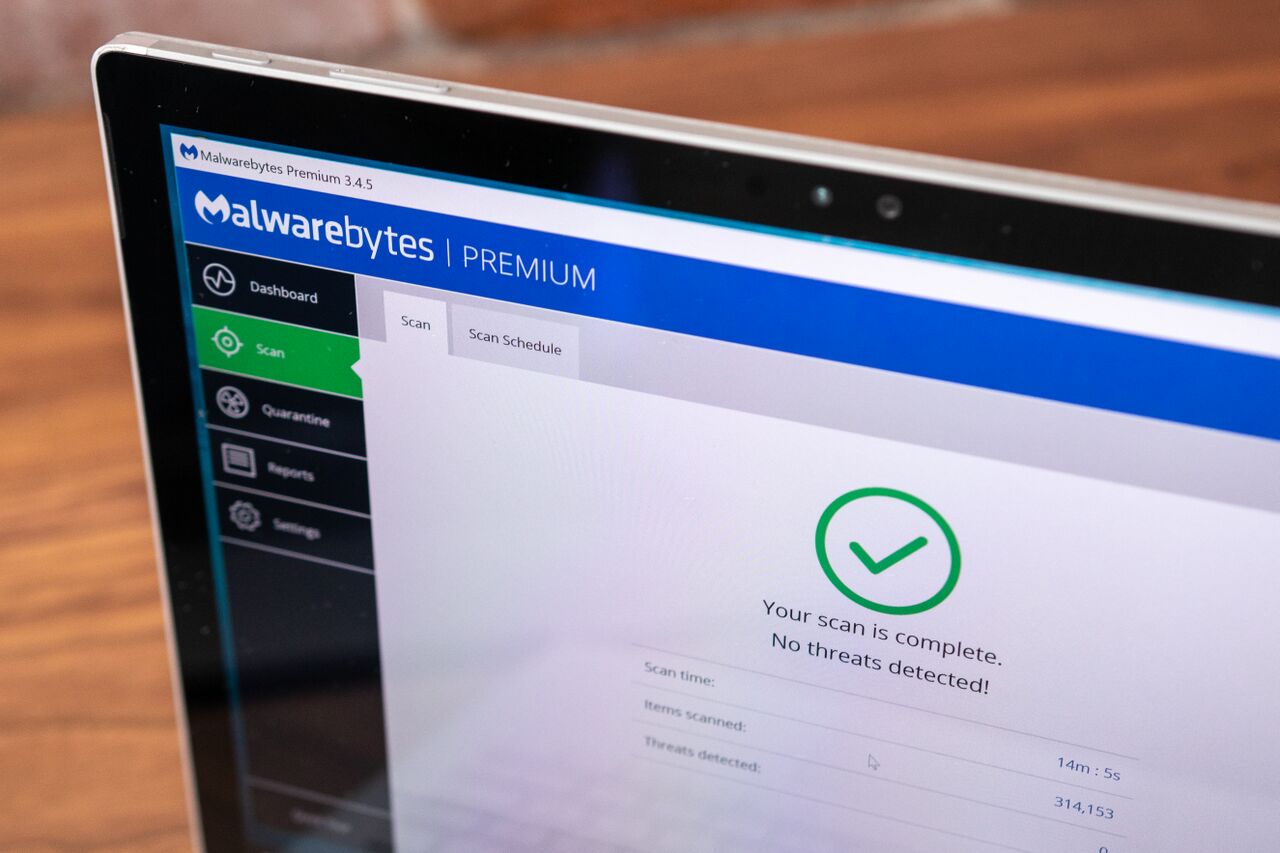
In addition to antivirus software, secure passwords, data logins and two-factor authentication, a reliable anti-malware program will help ensure that your computer is protected against vulnerabilities. While antivirus software typically works against worms, viruses and Trojans, anti-malware tackles newer exploits that aren’t spread by email, USB drives or older avenues.

We recommend Malwarebytes Premium for macOS and Windows computers because it runs well with Windows Defender and doesn’t get in the way of other programs. It’s simple to set up and use, plus it performs real-time scanning and doesn’t require you to make special adjustments to settings in order to get the best coverage.

Bluetooth keyboard: Logitech K380 Multi-Device Bluetooth Keyboard

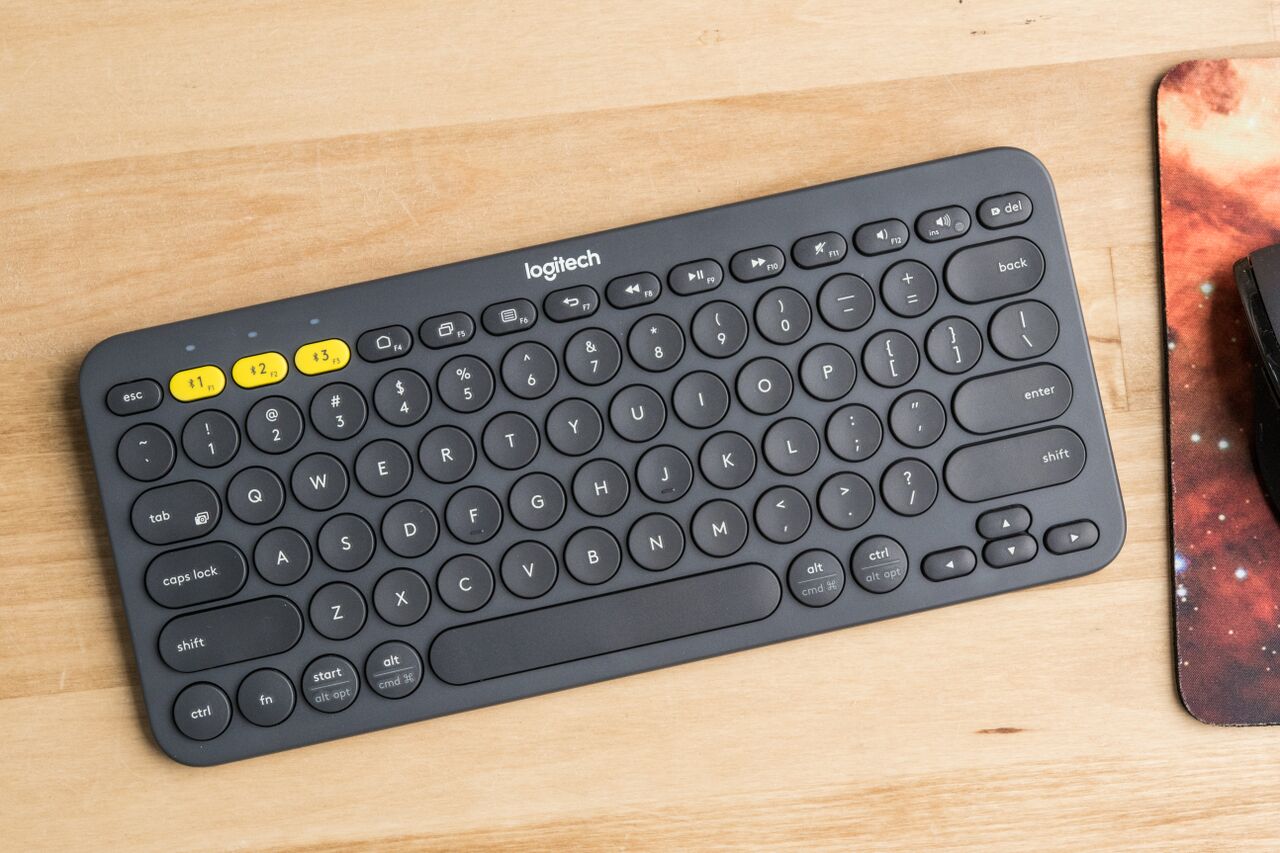
For students who like working across different setups, a Bluetooth keyboard provides the option to take a break from a laptop and work with a desktop computer, smartphone or tablet. The Logitech K380 Multi-Device Bluetooth Keyboard can connect to three devices at once and switch between them with the press of a button.

It’s light, sturdy and small enough to stash in a backpack and use in class, at a library or anywhere else on the go. The combination of its rounded springy keys and the angle of its slope make it comfortable to use over long periods of time. Aside from outperforming other models that we tested, it’s inexpensive and offers two years of battery life with heavy use.

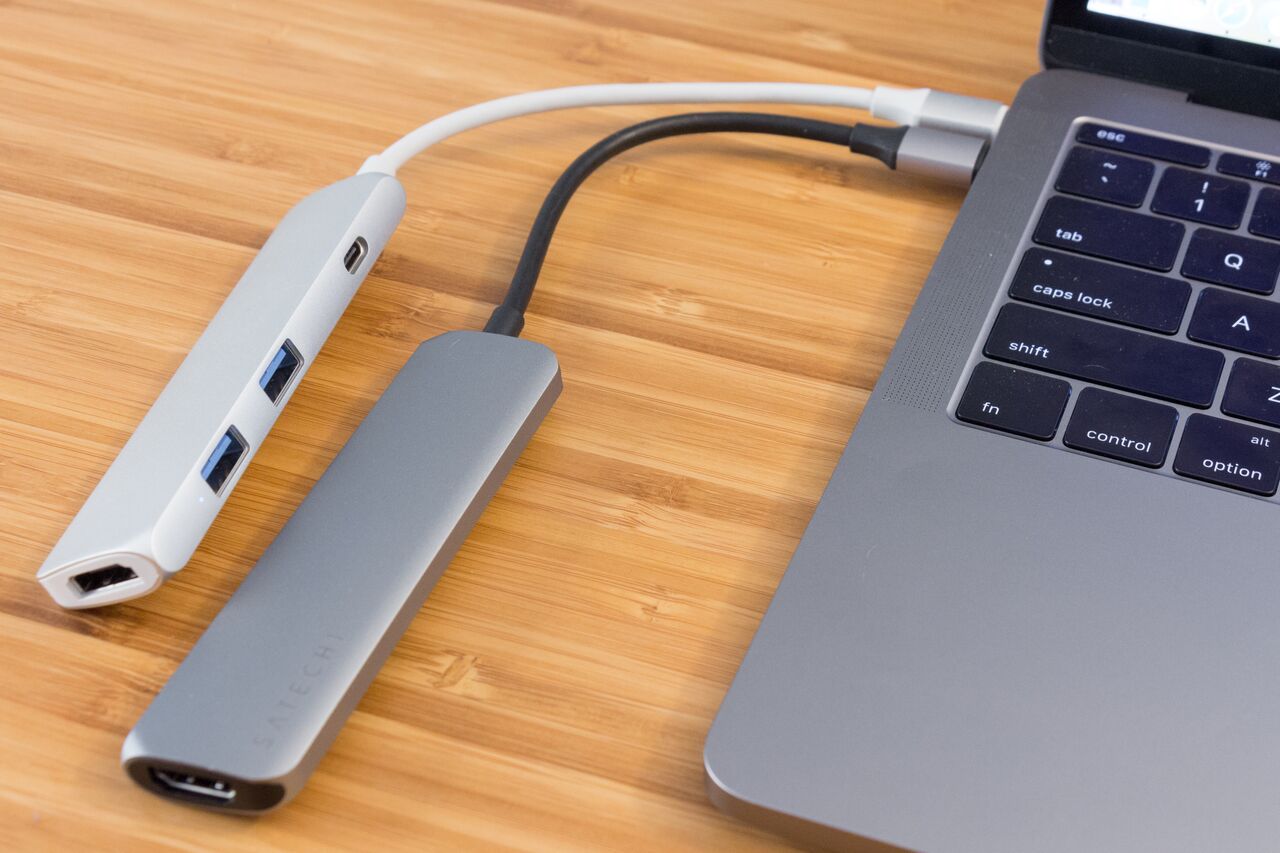
Sanho HyperDrive USB Type-C Hub (left)Type-C Multiport Adapter: Sanho HyperDrive USB Type-C Hub

With every school year that comes around, an updated batch of laptops are released — many of which come with the latest ports. The Sanho HyperDrive USB Type-C Hub pairs best with MacBooks that have a single USB-C port. It adds a single HDMI port, two USB 3.0 ports and a USB-C port for passthrough charging.

You’ll be able to connect to HDMI displays that support 4K video while charging your computer at the same time. It’s small, durable and, like other USB-C port laptop adapters that connect devices with “legacy” ports or transfer data, it can be a lifesaver when you’re in a pinch.

These picks may have been updated by Wirecutter


Source: TechCrunch http://j.mp/2O3PAwR

Huawei overtakes Apple in smartphone shipments

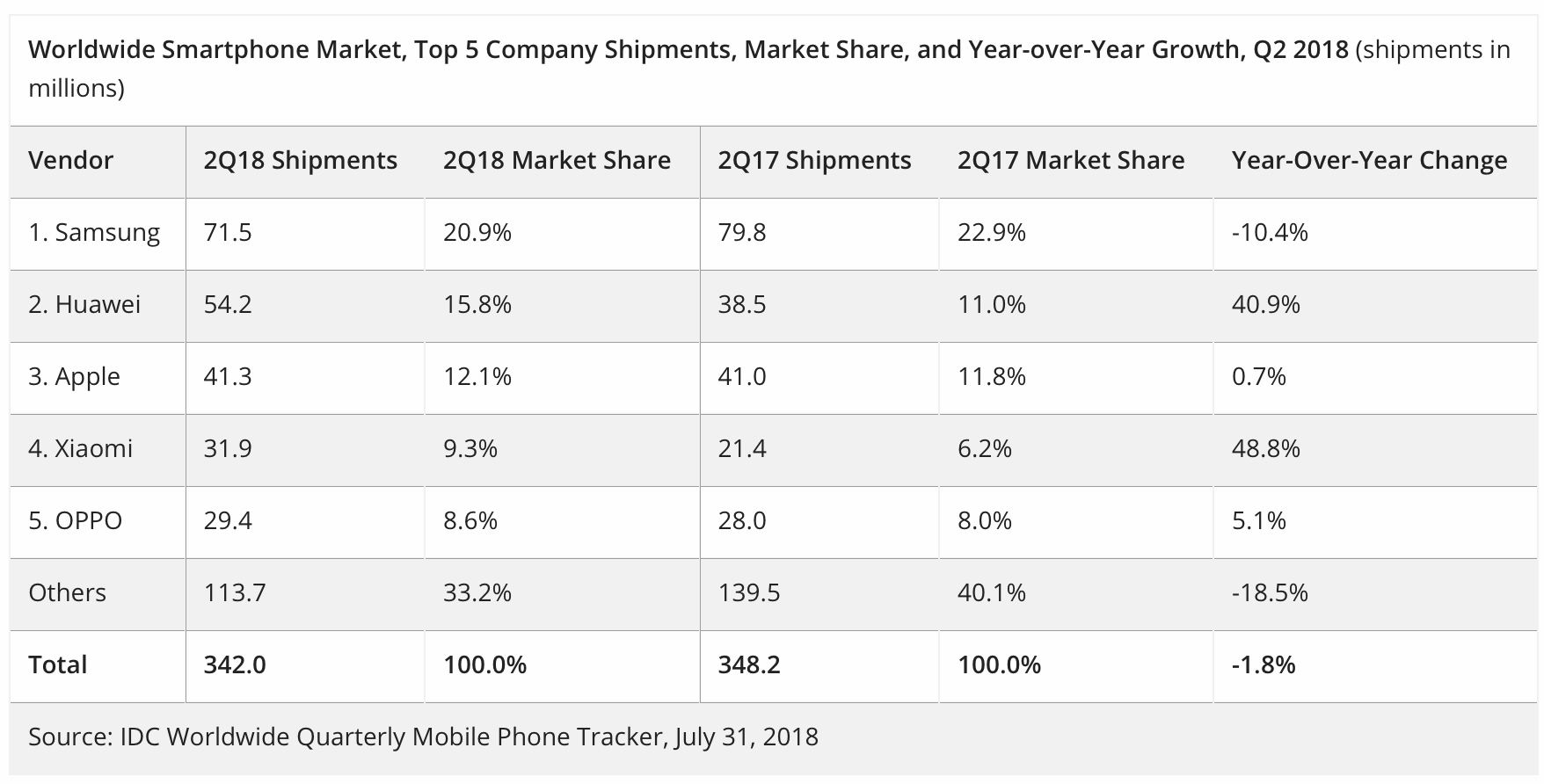
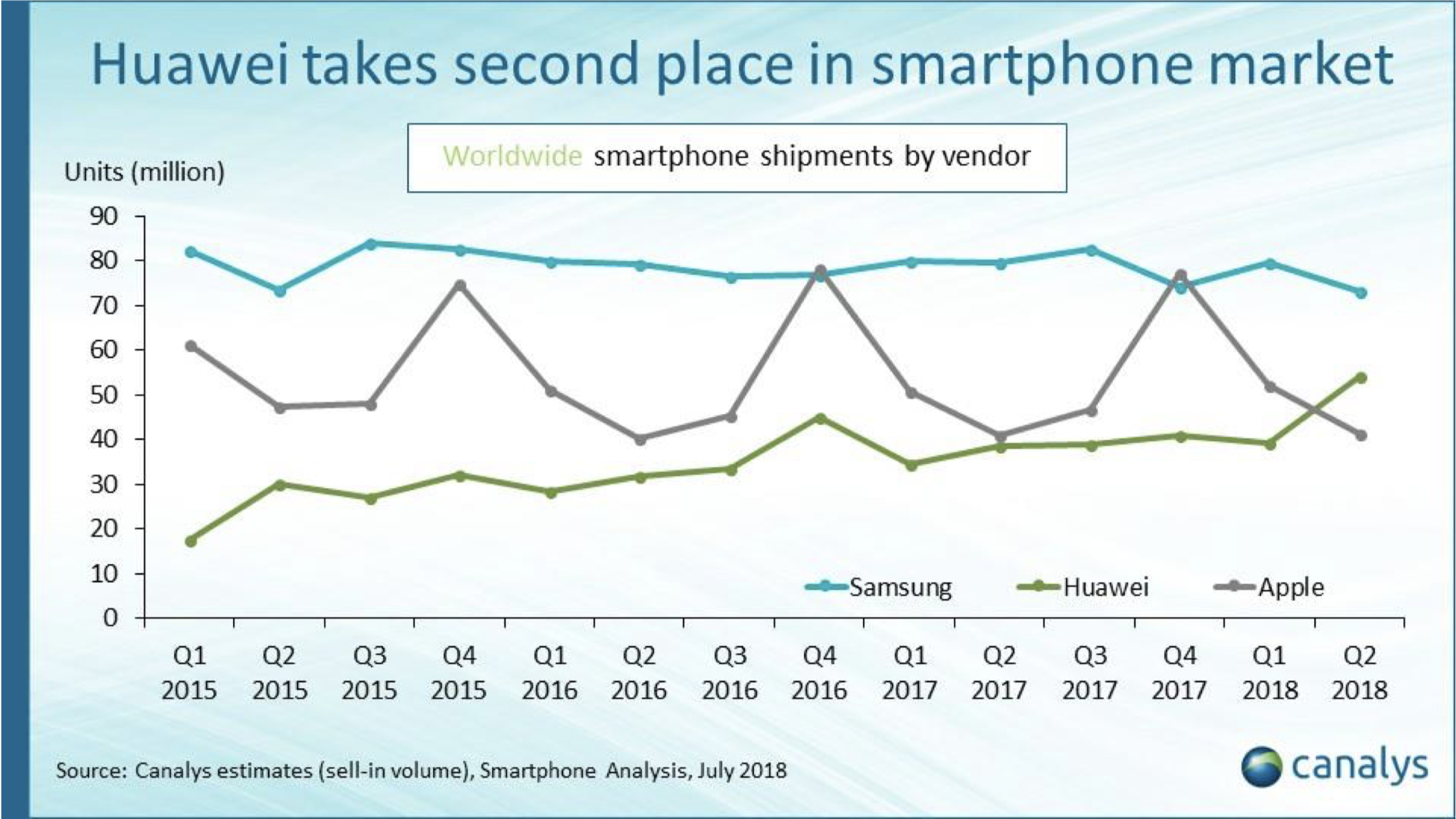
Chinese smartphone manufacturer Huawei is now the second biggest smartphone manufacturer in the world according to new reports from IDC and Canalys, as The Verge initially spotted.

In IDC’s latest report, the firm says that the overall market has shrunk by 1.8 percent in Q2 2018. But the biggest surprise is that Huawei now has a 15.8 percent market share with 54.2 million smartphones shipped in Q2.

It doesn’t mean that Apple is performing poorly. The company is shipping slightly more smartphones this year compared to last year. Apple also has a slightly bigger market share with 12.1 percent of the market.

Samsung is shipping 10.4 percent less smartphones but still remains the leader with 20.9 percent market share, or 71.5 million smartphones. In other words, many Samsung buyers are now buying Huawei devices, or other Android devices.

Canalys confirms this trend with the same order — Samsung, Huawei and then Apple. But the firm also highlights that Apple suffers from seasonability compared to its competitors.

Samsung and Huawei sell many different devices and release new phones all year long. Apple usually releases new devices in September, which creates a huge spike during the last quarter of the year. Apple will likely overtake Huawei and maybe even Samsung in a couple of quarters.

It’s interesting to see that Huawei is performing so well while the company has had issues with the U.S. government. If you browse the smartphone category on Amazon, Honor devices usually appear near the top of the list — Honor is Huawei’s brand for cheaper devices. The Huawei P20 Pro is also a solid device for those looking for a premium device.


Source: TechCrunch http://j.mp/2LUBZuf

Google is reportedly planning a censorship-friendly search service for China

Google’s search service could be poised to make a dramatic return to China next year, according to an explosive report from The Intercept.

Google yanked its search service from China in 2010 in the face of pressure over censorship, but now the publication reports that it has developed a censored version that could launch in the country in six to nine months, according to information supplied by a source within Google. The alleged product would block Western services already outlawed in China, including Facebook, Twitter and Instagram, and also scrub results for sensitive terms, such as the Tiananmen Square massacre, and international media including the BBC and New York Times.

Google did not immediately respond to a request for comment.

The Google insider claims that the search product is codenamed Dragonfly and that knowledge of it is limited to a handful of high-level Google executives, including CEO Sundar Pichai. The company is said to plan to operate a joint venture in China with an unnamed local company.

The Intercept said its source got in touch out of concern that the project “will set a terrible precedent for many other companies who are still trying to do business in China while maintaining the principles of not succumbing to China’s censorship.”

There’s been plenty of speculation over the years that Google will re-enter China with a meaningful product. That has tended to focus on the Play Store, but it looks like the search product has already gained considerable momentum. The Intercept reports that it has been demonstrated to Chinese government officials, with Pichai himself having attended at least one meeting with authorities.

Internal documents seen by The Intercept show that an Android app is the initial focus, but there could be scope for a desktop version and more further down the line. The current concern, according to the publication, is ensuring that the service gains Chinese government approval and is good enough to compete with what is already available to internet users in China.

The Intercept’s report comes less than a week after Facebook briefly received approval to operate a subsidiary on Chinese soil. Its license was, however, revoked as news of the approval broke. The company said it had planned to open an innovation center, but it isn’t clear whether that will be possible now.

Facebook previously built a censorship-friendly tool that could be deployed in China.

While its U.S. peer has struggled to get a read on China, Google has been noticeably increasing its presence in the country over the past year or so.

The company has opened an AI lab in Beijing, been part of investment rounds for Chinese companies, including a $550 million deal with JD.com, and inked a partnership with Tencent. It has also launched products, with a file management service for Android distributed via third-party app stores and, most recently, its first mini program for Tencent’s popular WeChat messaging app.

The Intercept suggests that these dealings are a prelude to introducing Dragonfly in a bid to capture a chunk of the 700 million internet user market that grown quickly since Google’s search business left the country.


Source: TechCrunch http://j.mp/2v9eMe6